Your business website is often the first place potential customers visit before deciding whether to trust your brand. But what if your website loads slowly, struggles to appear on Google, or fails to turn visitors into enquiries?
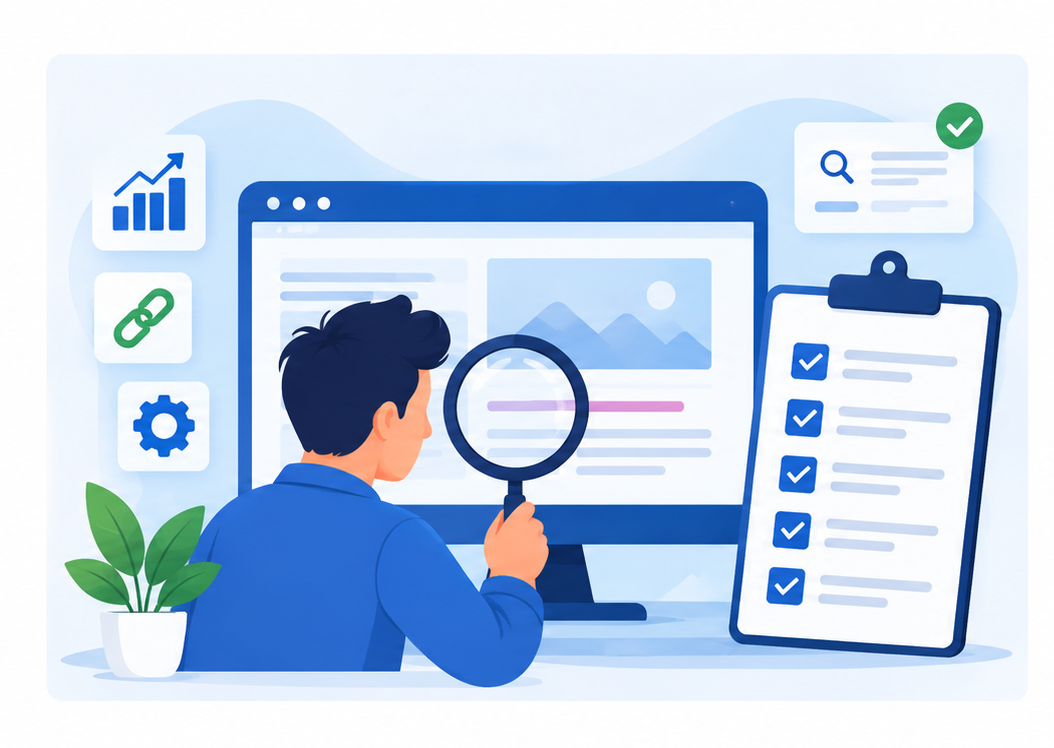
The good news is that you can identify many common website problems in just 30 minutes. This free business website audit checklist will help you review technical SEO, website speed, content, mobile usability, security, and conversions using free tools.
What Is a Website Audit?
A website audit is the process of reviewing your website to identify technical issues, SEO weaknesses, usability problems, and opportunities to improve conversions.
A business website audit helps you understand whether your website is accessible to search engines, delivers a good user experience, communicates your services clearly, and encourages visitors to take action.
A comprehensive audit can include technical SEO, on-page SEO, website speed, mobile responsiveness, content quality, security, and conversion optimisation.
However, this 30-minute audit focuses on the most important areas you can check quickly without advanced technical knowledge.
Why Should You Audit Your Business Website Regularly?
Even a professionally designed website can develop problems over time. Pages may become outdated, links may break, website performance may decline, and competitors may publish more useful content.
Regular website audits help you:
- Identify SEO issues that may affect search visibility
- Find broken links and missing website pages.
- Improve loading speed and mobile usability.
- Make important business information easier to find.
- Identify barriers that prevent visitors from contacting you.
- Discover opportunities to improve organic traffic and lead generation.
For small businesses, these checks are especially valuable because fixing a few important problems can improve the website experience without requiring a complete redesign.
The 30-Minute Business Website Audit Checklist
Here is a practical breakdown of how to use your 30 minutes effectively.
| Audit area | Time | Objective |
|---|---|---|
| Technical SEO | 5 minutes | Check indexing |
| Website speed | 5 minutes | Find performance issues |
| On-page SEO | 5 minutes | Review titles and content |
| Mobile experience | 4 minutes | Check usability |
| Content and trust | 4 minutes | Review credibility |
| Conversions | 4 minutes | Test enquiry paths |
| Security and links | 3 minutes | Check HTTPS and links |
1. Check Technical SEO Issues (5 Minutes)
Technical SEO helps search engines discover, crawl, and understand your website. If important pages cannot be accessed or indexed, they may struggle to appear in Google Search.
Start by checking these three areas.
Check whether your website is indexed
Search Google using the following query:
site:yourdomain.com
Replace "yourdomain.com" with your actual domain.
Review the results to see whether your website's pages appear. This is a quick preliminary check, not a complete or definitive indexing report.
For more accurate information, open Google Search Console and review the Pages indexing report.
Check whether important service pages, product pages, and blog posts are indexed. Investigate unexpected exclusions, such as pages blocked by robots.txt, pages marked with a noindex directive, or incorrect canonical tags.
Check your XML sitemap
Your XML sitemap helps search engines discover the URLs you want them to crawl.
A common sitemap location is:
https://yourdomain.com/sitemap.xml
Your website may use a different sitemap URL depending on its platform or SEO configuration.
Confirm that the sitemap loads correctly and contains relevant, canonical URLs. Submit or review it in Google Search Console.
Check your robots.txt file
Visit:
https://yourdomain.com/robots.txt
Look for directives that may unintentionally block important pages or resources.
Do not remove restrictions without understanding their purpose. Some blocked paths are intentional, and robots.txt is not a security mechanism.
Your action: Create a list of important pages that are missing from Google's index or appear to have unexpected crawling restrictions.
2. Test Website Speed and Performance (5 Minutes)
Website speed affects usability and can influence search performance. A slow website may frustrate visitors, particularly those browsing on mobile devices or slower connections.
Use Google's free PageSpeed Insights tool:
https://pagespeed.web.dev/
Enter your website URL and review both mobile and desktop results.
What should you check?
Focus on these performance metrics:
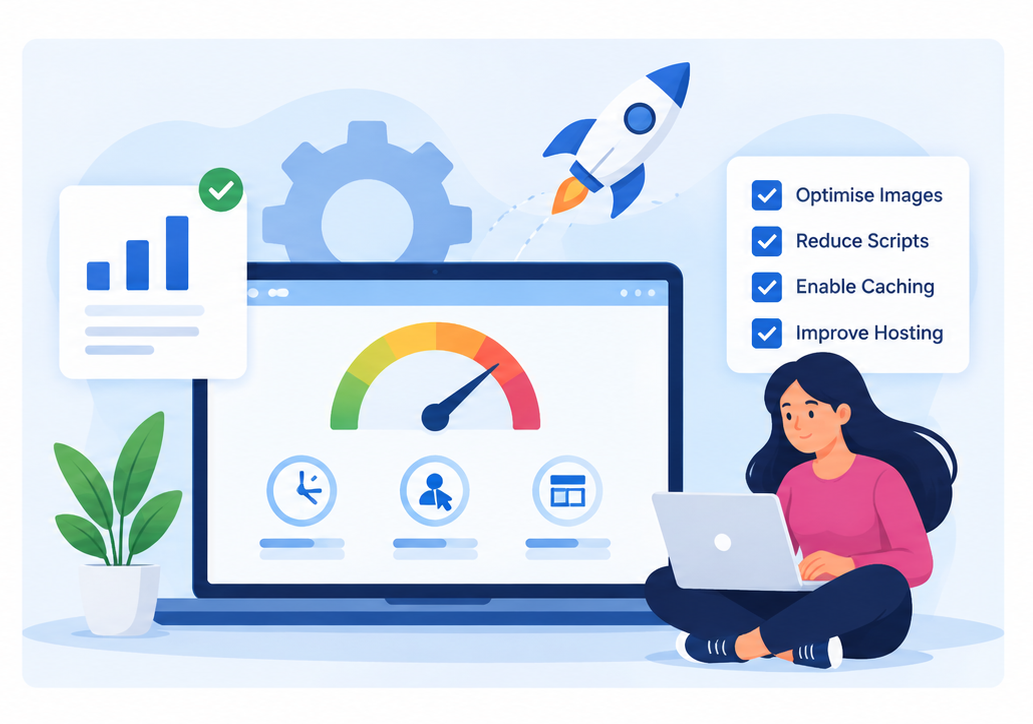
Largest Contentful Paint (LCP): Measures how quickly the main content becomes visible. A good target is 2.5 seconds or less.
Interaction to Next Paint (INP): Measures responsiveness to user interactions. A good target is 200 milliseconds or less.
Cumulative Layout Shift (CLS): Measures unexpected layout movement. A good target is 0.1 or less.
These are Google's recommended Core Web Vitals thresholds when measured at the 75th percentile of real-user visits.
PageSpeed Insights may also highlight issues such as oversized images, render-blocking resources, excessive JavaScript, and inefficient caching.
Quick improvements to consider
If your website performs poorly, consider:
- Compressing oversized images.
- Serving appropriately sized images in modern formats.
- Reducing unnecessary plugins and scripts.
- Enabling effective browser caching.
- Reviewing hosting and server response times.
- Avoid making every suggested change at once. Prioritise fixes that improve important user-facing content and functionality.
Your action: Record your mobile performance score and the two most important issues reported by PageSpeed Insights.
3. Review Your On-Page SEO (5 Minutes)
On-page SEO helps search engines and visitors understand what each page offers.
Choose your homepage and two important service or product pages. Review the following elements.
SEO title tags
Each important page should have a descriptive, relevant title that accurately represents its content.
For example, a digital marketing company targeting Chennai might use:
"Digital Marketing Services in Chennai | Webdoux"
Avoid repeating the same title across multiple pages or inserting keywords unnaturally.
Meta descriptions
A meta description should summarise the page and encourage relevant searchers to visit it.
For example:
"Explore digital marketing services designed to improve your online visibility, attract relevant visitors, and support business growth with Webdoux."
Google may generate a different search snippet, so writing a meta description does not guarantee that the exact text will appear.
Heading structure
Check whether the page has a clear main heading and logical subheadings.
A useful structure could look like this:
Not every business needs the same dashboard, but every business should understand what success looks like.
- H1: Digital Marketing Services in Chennai
- H2: Our Digital Marketing Services
- H2: How Our Process Works
- H2: Why Choose Our Team?
- H2: Frequently Asked Questions
Use headings to organise information naturally rather than to repeat keywords.
Content quality
Ask yourself:
- Does the page explain the service clearly?
- Does it address the customer’s actual questions?
- Is the information accurate and up to date?
- Does it provide useful details beyond generic marketing statements?
- Are relevant internal links included?
Your action: Fix missing or misleading titles, unclear headings, thin content, and missing links on your highest-priority pages.
Test the Mobile User Experience (4 Minutes)
Many potential customers discover businesses through mobile search, social media, and messaging apps. Your website should therefore work comfortably on smaller screens.
Open your website on your smartphone or use your browser's mobile device simulation.
Check the following:
- Is the text readable without zooming?
- Do images fit within the screen?
- Can visitors navigate the menu easily?
- Are buttons large enough to tap comfortably?
- Do forms work properly on mobile?
- Does the page have unwanted horizontal scrolling?
- Can visitors find your phone number or contact information quickly?
Pay special attention to your homepage, contact page, and most important service pages.
A page may look attractive on a desktop monitor but become difficult to navigate on a smartphone. Large images, intrusive pop-ups, oversized headings, and crowded layouts can all create friction.
Your action: Identify one mobile usability problem and prioritise fixing it before making cosmetic changes.
Review Content Quality and Trust Signals (4 Minutes)
Visitors need to understand who you are, what you offer, and why they should trust your business.
Review your homepage and at least one major service page.
Check your business information
Make sure visitors can easily find:
- Your business name and service details.
- Accurate contact information.
- Your service locations, where relevant.
- A clear About Us page.
- Information about your team or experience.
- Relevant testimonials, case studies, or customer reviews.
Only display genuine reviews, accurate claims, and verifiable credentials.
Evaluate your content
Your content should explain benefits, answer common questions, and help customers make informed decisions.
For example, a web development company should explain its services, process, project deliverables, and support options rather than relying solely on broad claims about quality.
Review older blog posts and update information that is no longer accurate.
Also check whether your pages demonstrate relevant experience and provide useful information that visitors cannot easily get from a generic competitor page.
Your action: Update one outdated section, clarify one service description, or add a relevant trust element supported by evidence.
Evaluate your content
Website traffic is valuable, but traffic alone does not guarantee business results.
A conversion occurs when a visitor completes a meaningful action, such as submitting an enquiry, requesting a quote, booking a consultation, or making a purchase.
Review the main conversion journey on your website.
Check your calls to action
Your key pages should guide visitors towards a relevant next step.
Examples include:
- Request a Free Consultation
- Get a Project Quote
- Book an Appointment
- Contact Our Team
- Shop Now
Make sure the wording is clear and the destination works correctly.
Test your contact forms
Submit a test enquiry if you can do so safely without creating duplicate leads or triggering unwanted business processes.
Check whether required fields work, validation messages are understandable, and confirmation messages appear.
If possible, verify that submissions reach the correct inbox or CRM.
Make contact details accessible
Depending on your business, useful options may include:
- A visible phone number.
- A contact form.
- A WhatsApp enquiry link.
- A booking option.
- A clear service enquiry button.
Avoid overwhelming visitors with too many competing actions. Give each important page a primary goal.
If you use GA4, review relevant conversion events and confirm that they are configured and recording correctly.
Your action: Test your primary call to action from the homepage to the final confirmation step.
Free Business Website Audit Checklist
Use this checklist to track the areas you have reviewed.
Tip: Complete the high-priority technical and conversion checks first. Fixing critical issues may require additional investigation beyond this 30-minute review.
What Should You Fix First After Your Website Audit?
Finding website problems is only the first step. The next step is deciding which issues deserve your attention first. Prioritising fixes based on their severity and potential business impact helps you use your time effectively.
For most businesses, the best approach is to address critical technical issues and broken conversion paths before focusing on smaller design improvements.
| Priority | Common issues | Recommended action |
|---|---|---|
| High | Important pages blocked from indexing, broken enquiry forms, serious security warnings. | Investigate and resolve promptly. |
| Medium | Poor Core Web Vitals, missing SEO titles, broken internal links, outdated service content. | Plan and implement targeted improvements. |
| Low | Minor wording issues, small cosmetic inconsistencies, non-essential design adjustments. | Address after higher-impact problems. |
This is a practical prioritisation framework rather than a universal rule. The correct order depends on your website, business goals, and the severity of each issue.
1. Fix Issues That Prevent Customers from Contacting You
Start by checking your contact forms, phone links, booking options, and primary calls to action. If visitors cannot submit an enquiry or reach your team, you may lose potential business even when your website receives traffic.
Technical SEO
Check indexing, crawling restrictions, canonical tags, and access to important service pages.
Website Performance
Investigate slow loading, unstable layouts, and interaction delays that affect visitors.
Lead Generation
Test enquiry forms, phone links, booking buttons, and confirmation messages.
2. Prioritise SEO Improvements with the Biggest Potential Impact
Use Google Search Console to identify important pages that are not indexed as expected or receive impressions but relatively few clicks. Review their search intent, page titles, descriptions, content quality, and internal links before making changes.
For performance issues, use Google PageSpeed Insights to identify the problems most likely to affect the user experience.
3. Create an Action Plan
A simple action plan prevents audit findings from being forgotten. Record each issue, its priority, the person responsible, and the expected completion date.
Choose your three most important website issues, assign a next step to each, and check whether the fixes have improved usability, search visibility, or conversions.
Once critical problems are resolved, move on to content improvements, mobile usability, and smaller design changes. Review the results in Google Search Console and GA4 to guide your next round of optimisation.
Final Thoughts
Auditing your business website does not always require expensive tools or hours of technical analysis. By spending 30 minutes reviewing technical SEO, speed, on-page elements, mobile usability, content, conversions, and security, you can identify several meaningful improvement opportunities.
Start with the issues that affect your customers and business goals most directly. Fix those problems, measure the results, and repeat the process regularly.
If your website has complex technical issues, declining organic visibility, or persistent conversion problems, a more comprehensive review may be necessary.
Need help improving your website's performance, search visibility, or lead generation? Webdoux can help you identify opportunities to improve your digital presence and build a more effective website strategy.
Explore Webdoux's services to find the right next step for your business.
Frequently Asked Questions
1. Can I audit my business website for free?
Yes. You can perform a basic audit using free tools such as Google Search Console, Google Analytics 4, and PageSpeed Insights, alongside manual checks of your website's pages, links, and forms.
2. How long does a website audit take?
A basic review of your most important website pages can take around 30 minutes. A comprehensive technical SEO audit for a large website may take several hours or longer, depending on its size and complexity.
3. Which free tools are best for a website audit?
Google Search Console helps you review indexing and search performance. PageSpeed Insights evaluates page performance and Core Web Vitals. GA4 helps you understand user behaviour and conversions. Manual browser checks are also useful for evaluating navigation, content, and forms.
4. Does website speed affect SEO?
Website speed and user experience matter, and Core Web Vitals are part of Google's page experience considerations. However, good scores alone do not guarantee high rankings. Relevance, content quality, competition, and many other factors influence search visibility.
Choose a Marketing Partner That Understands Your Goals

The right digital marketing approach is not about being active on every platform.
It is about understanding your customers, choosing relevant channels, and improving what works.
Whether your business needs stronger search visibility, better website performance, or a more focused marketing strategy, begin with a clear picture of the results you want to achieve.
Looking for a digital marketing partner in Chennai?
Explore Webdoux's digital marketing services and discuss a strategy built around your business requirements.